
Ingest API overview
The Ingest API lets anything that can make an HTTP request tell Agent City that something happened: a camera sees a car on the driveway, a sensor sees the dogs get out, a backup script finishes, a build fails.
An event can:
- appear in Activity, with an optional picture,
- send a notification to your Mac and your paired phones,
- put an agent to work on it, with instructions you send, or
- start an automation, with the event as its input.
curl -X POST http://127.0.0.1:47800/api/events \ -H "Authorization: Bearer hive_…" \ -H "Content-Type: application/json" \ -d '{"title": "Car arriving", "data": {"plate": "ABC123"}, "agent": "hive", "prompt": "ABC123 is Sarah. Say who has arrived."}'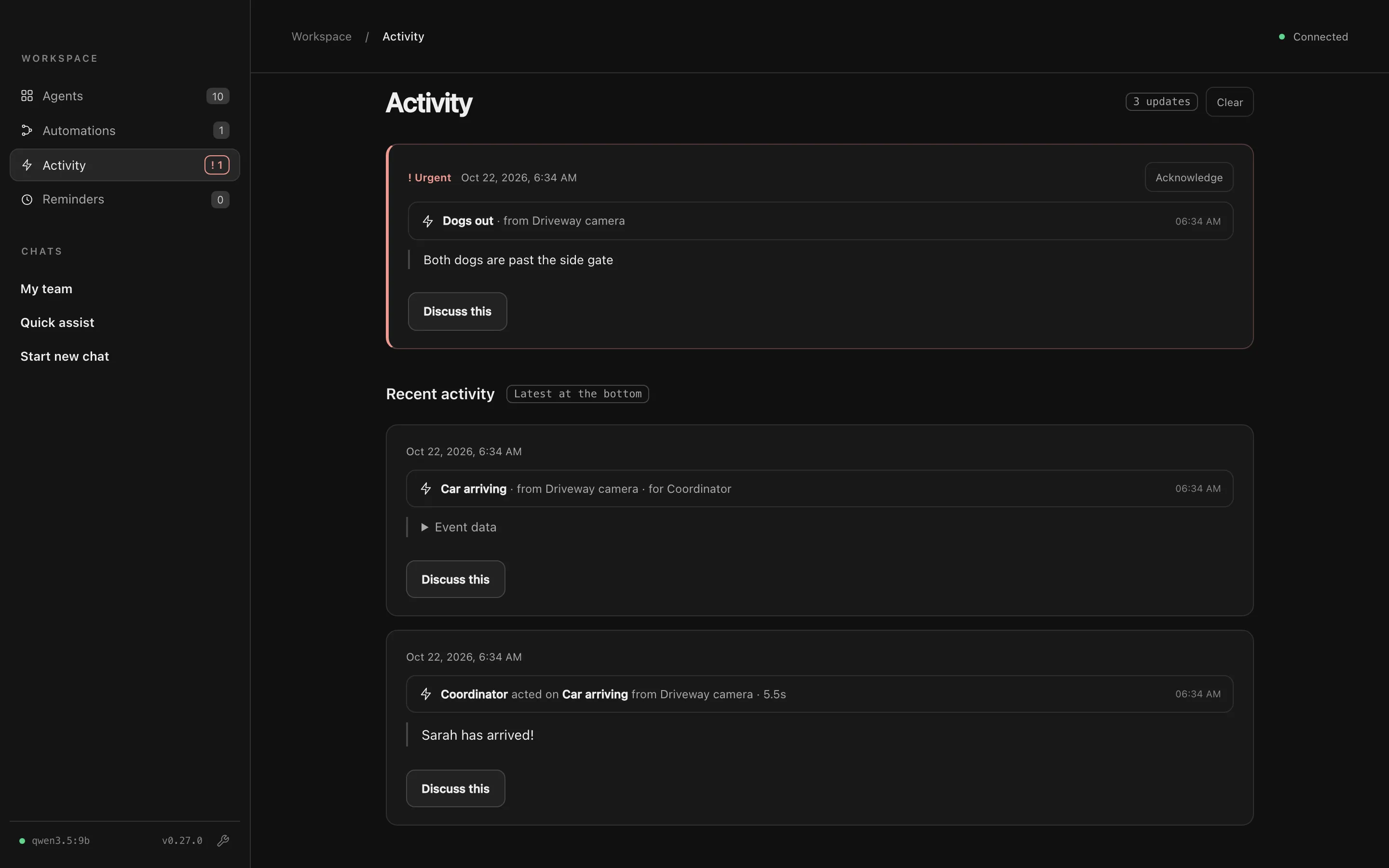
Quick start
Section titled “Quick start”- Make a key. Open Settings → Devices → Incoming events, name a key after the device that will use it (like Driveway camera), and press Make key. Copy it: it’s only shown once. See Authentication.
- Send an event. Copy the example shown under the new key, or use the one above.
- Check it arrived. It appears in Activity, and in Recent events under Incoming events.
Where to send events
Section titled “Where to send events”Agent City must be running. It keeps running in the menu bar when the window is closed.
| From | Address |
|---|---|
| Your Mac (scripts, Shortcuts, cron jobs) | http://127.0.0.1:47800/api/events |
| Another device on your network | http://<your-mac's-address>:47801/api/events |
| Anywhere on your Tailscale network | http://<your-mac>.<tailnet>.ts.net:47801/api/events, or https://<your-mac>.<tailnet>.ts.net:8443/api/events with Tailscale HTTPS |
Settings → Devices → Incoming events shows the exact address for your Mac. Agent City uses port 47800 unless something else already has it, in which case it picks another.
Reaching Agent City from other devices
Section titled “Reaching Agent City from other devices”On its own, Agent City only accepts connections from your Mac. To accept events from other devices, turn on Let paired phones connect in Settings → Devices → Phones and choose Wi-Fi or Tailscale. That opens a second port, 47801, for your network. See Phones.
On that port, every request needs a paired phone’s key, except /api/events and /api/health, which use their own keys. You don’t need to pair the device that sends events. It only needs an event key.
Reference
Section titled “Reference”- Authentication: event keys, and allowing events without a key
- POST /api/events: every field, response and error
- Starting automations: send events to an automation
- Examples: curl, Python, Node, Home Assistant, pictures and repeats
- GET /api/health: check whether Agent City is up