
Setup check
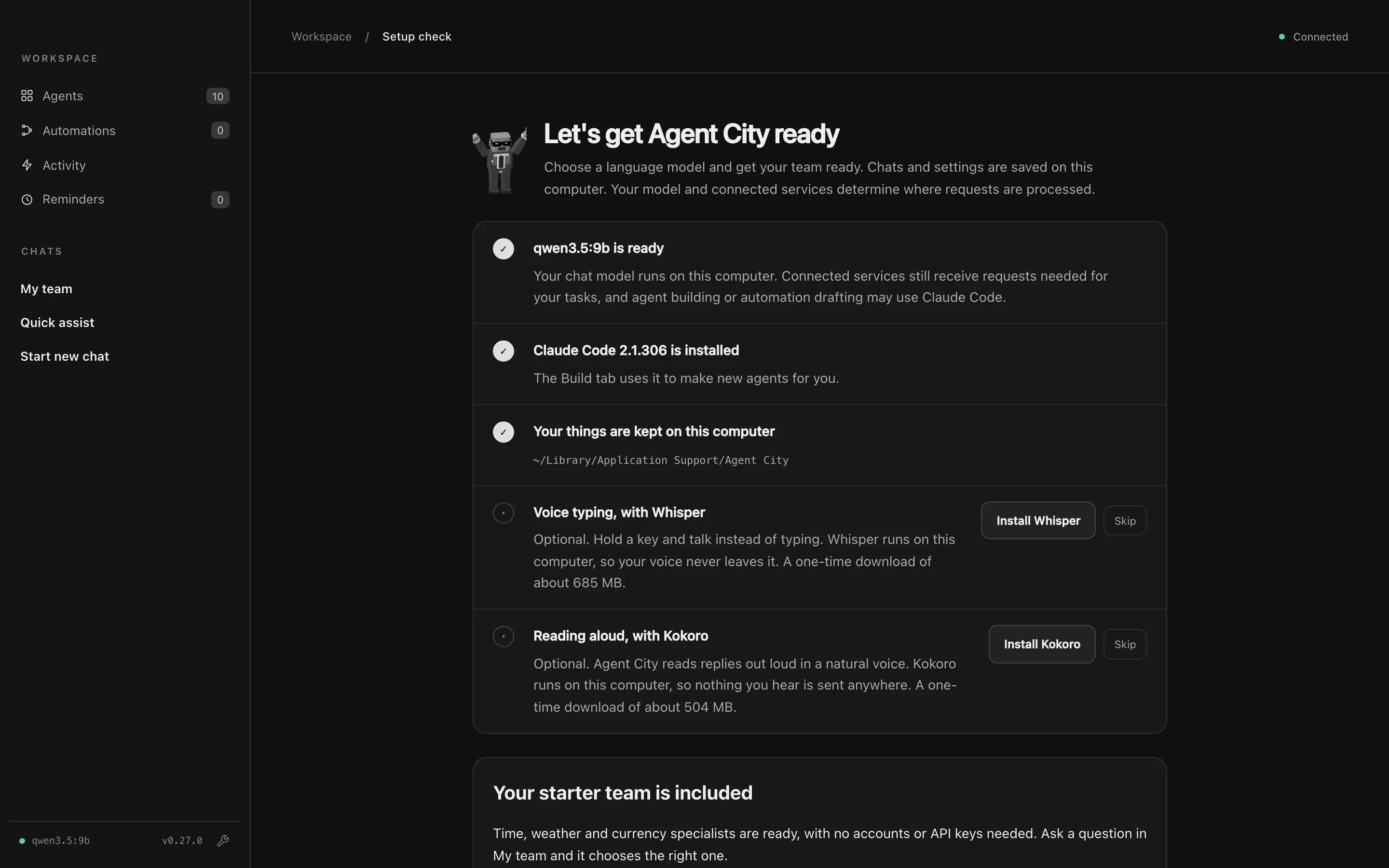
The Setup check opens by itself the first time you start Agent City. It checks what Agent City needs and offers to fix what’s missing.
What it checks
Section titled “What it checks”| Check | Needed? | What it’s for |
|---|---|---|
| Language model | Yes | The model every agent thinks with. If Ollama is installed, the Setup check can start it and download the default model, with a progress bar. You can also choose a different model or a cloud provider here. |
| Claude Code | Optional | Used by the Agent builder to create new agents, and optionally to draft automations. |
| Where your things are kept | Yes | Confirms Agent City can write to its data folder on this Mac. |
| Voice typing, with Whisper | Optional | Hold a key and talk instead of typing. Whisper runs on your Mac, so your voice never leaves it. A one-time download of about 685 MB. |
| Reading aloud, with Kokoro | Optional | Agent City reads replies aloud in a natural voice, on your Mac. A one-time download of about 500 MB. |
When everything you need is ready, press Open Agent City. You can also choose Skip for now and come back later.
Getting back to it
Section titled “Getting back to it”You can open the Setup check again at any time:
- click the model’s name at the bottom of the sidebar, or
- open Settings → Models and choose Setup check.
When the model stops working
Section titled “When the model stops working”Agent City checks the model every minute. If it stops answering (for example, if Ollama was quit), the model’s name in the sidebar turns red and a bar on every page says the agents can’t answer. Press Fix in that bar to go back to the Setup check.
Next: Choose a model.