
System
System is the built-in agent the others turn to when they need to work with files, make a document, or read a web page. It’s always there. You can chat with it directly, but most of the time other agents ask it for you.
Save this forecast as a PDF.
What’s in the contract I put in my workspace?
Make a QR code for our Wi-Fi.
What it can do
Section titled “What it can do”You choose what System may do in Settings → Tools → System tools. A group that’s off has no tools at all, so the model never sees them. With every group off, System isn’t offered to the other agents.
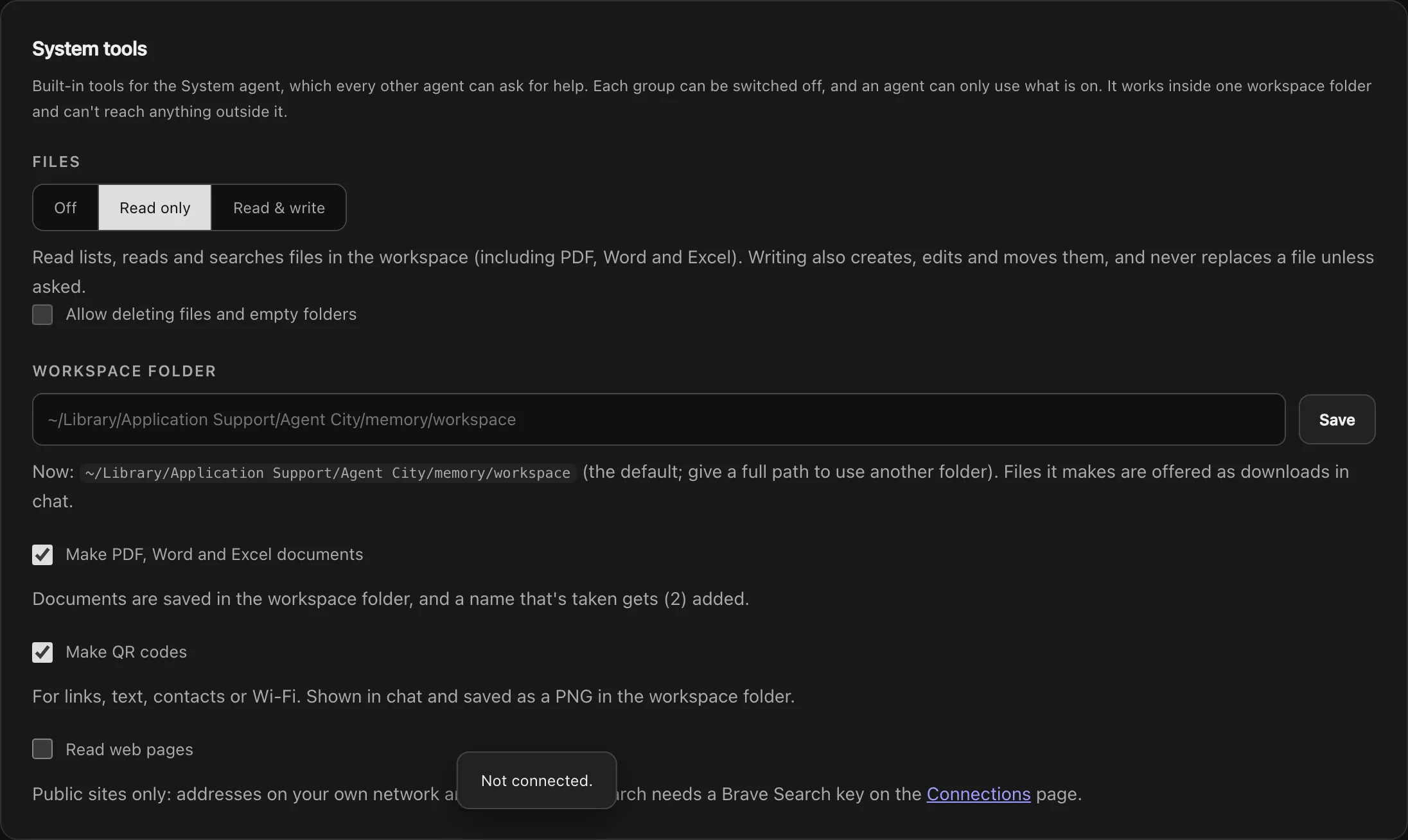
| Group | It can | Default |
|---|---|---|
| Files | Read only: list, read and search files, including PDF, Word and Excel. Read & write: also create, edit and move files. | Read only |
| Allow deleting files and empty folders | Delete files and empty folders. A separate switch, off until you turn it on. | Off |
| Make PDF, Word and Excel documents | Write real documents with headings, lists and tables. | On |
| Make QR codes | For a link, text, a contact or a Wi-Fi network. Shown in the chat and saved as a PNG. | On |
| Read web pages | Search the web and fetch public web pages. Search works without a key; a BRAVE_API_KEY on Connections makes it steadier. |
Off |
The workspace folder
Section titled “The workspace folder”System only works inside one workspace folder. By default it’s the workspace folder inside Agent City’s data folder, but you can give a full path to use another, such as a folder in Documents.
- Paths can’t leave the workspace.
- Nothing is overwritten unless you ask. If a name is taken, a new document gets
(2)added. - Deleting is a separate switch, and only takes files and empty folders.
- Files it makes come with a download link under the reply.
- Every call is recorded in the Audit log.
Reports from long background tasks are saved in the workspace under reports/.
The web
Section titled “The web”With Read web pages on, System can search the web and fetch pages from public sites. Addresses on your own network are refused, at every redirect. You can limit it to a list of sites (like example.com, docs.python.org) instead of any public site; searches are limited to those sites too.
Search goes through DuckDuckGo, with no key. With a BRAVE_API_KEY on Connections, it uses Brave Search instead.
For web questions that don’t involve your files, Scout searches and reads the web without System’s access to them.
For long research, System can read many pages at once and save each one to the workspace.