
Activity
Activity, in the Workspace section of the sidebar, is where things that happen without you asking end up:
- results from automations,
- incoming events from devices and scripts, and what agents did with them,
- reminders when they go off,
- urgent messages from connected accounts like Signal and Telegram,
- approvals waiting for your answer, and
- anything an agent posts when you ask it to.
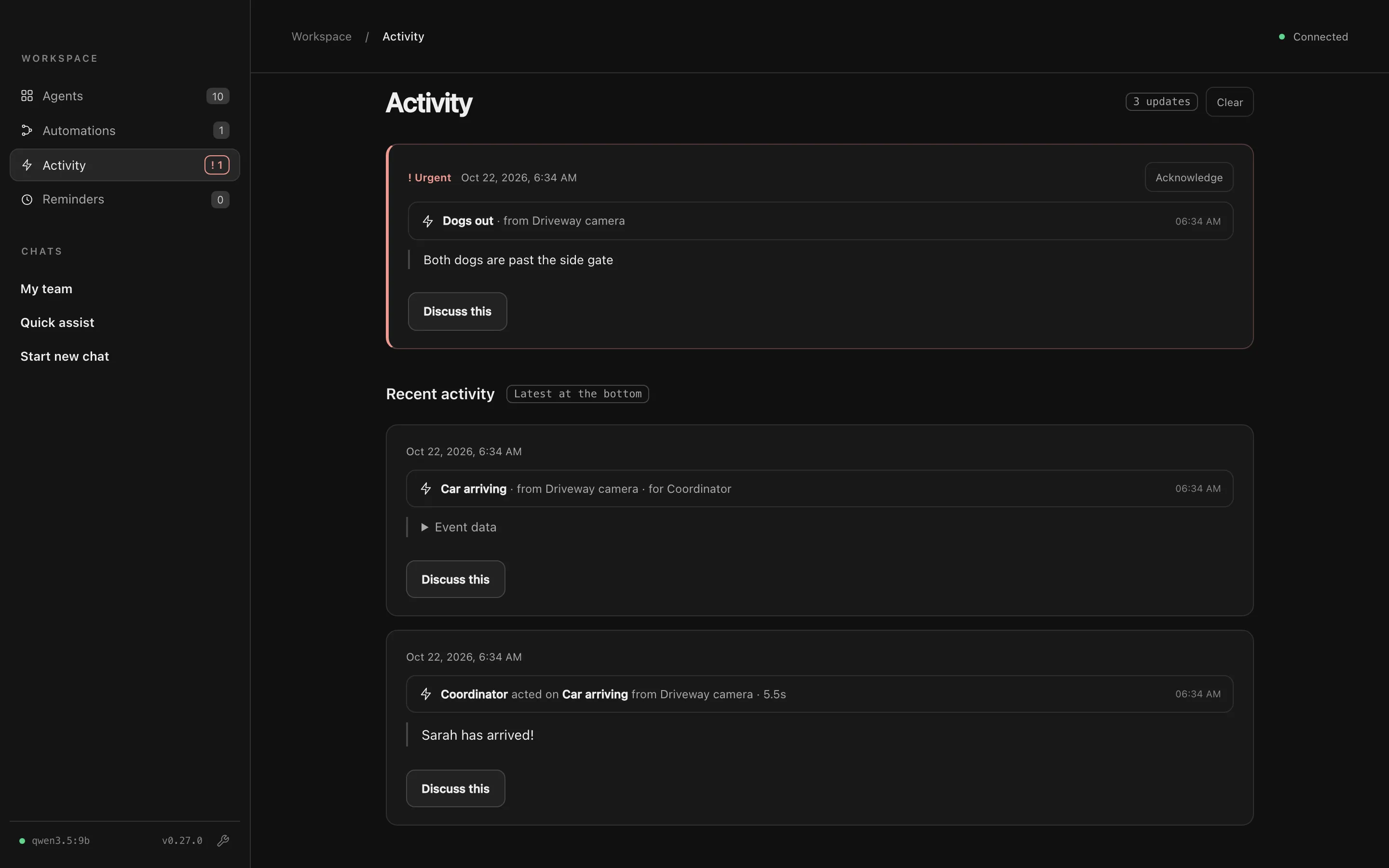
Needs attention
Section titled “Needs attention”Urgent items go to the top, followed by high-importance events, failed runs and pending approvals. They stay there, and keep a count in the sidebar, until you Acknowledge them or answer the approval. A banner at the top of every page links here while something needs attention.
Recent activity
Section titled “Recent activity”Everything else is listed oldest to newest, opening at the bottom. New items stay in view while you’re at the bottom; scrolling up pauses that.
Each item has:
- Discuss this: opens a chat about that item, so you can ask follow-up questions.
- View run: for automations, opens the run’s history.
- Event data: for events, the data the device sent.
The coordinator knows about everything in Activity, so you can also ask My team “who just arrived?” or “what did the morning brief say?”.
Clearing it
Section titled “Clearing it”Clear asks first, then deletes Activity’s entries and its saved history. Your chats, pending approvals, shared memory and automation run history are kept.
Notifications
Section titled “Notifications”Turn on Settings → General → Notifications to get a macOS notification when something arrives while Agent City is in the background. Paired phones can get notifications too.