
Connections and keys
Connections, in the Utilities menu, holds the accounts and API keys your agents use. Saved credentials stay on your Mac and are hidden from chats and logs.
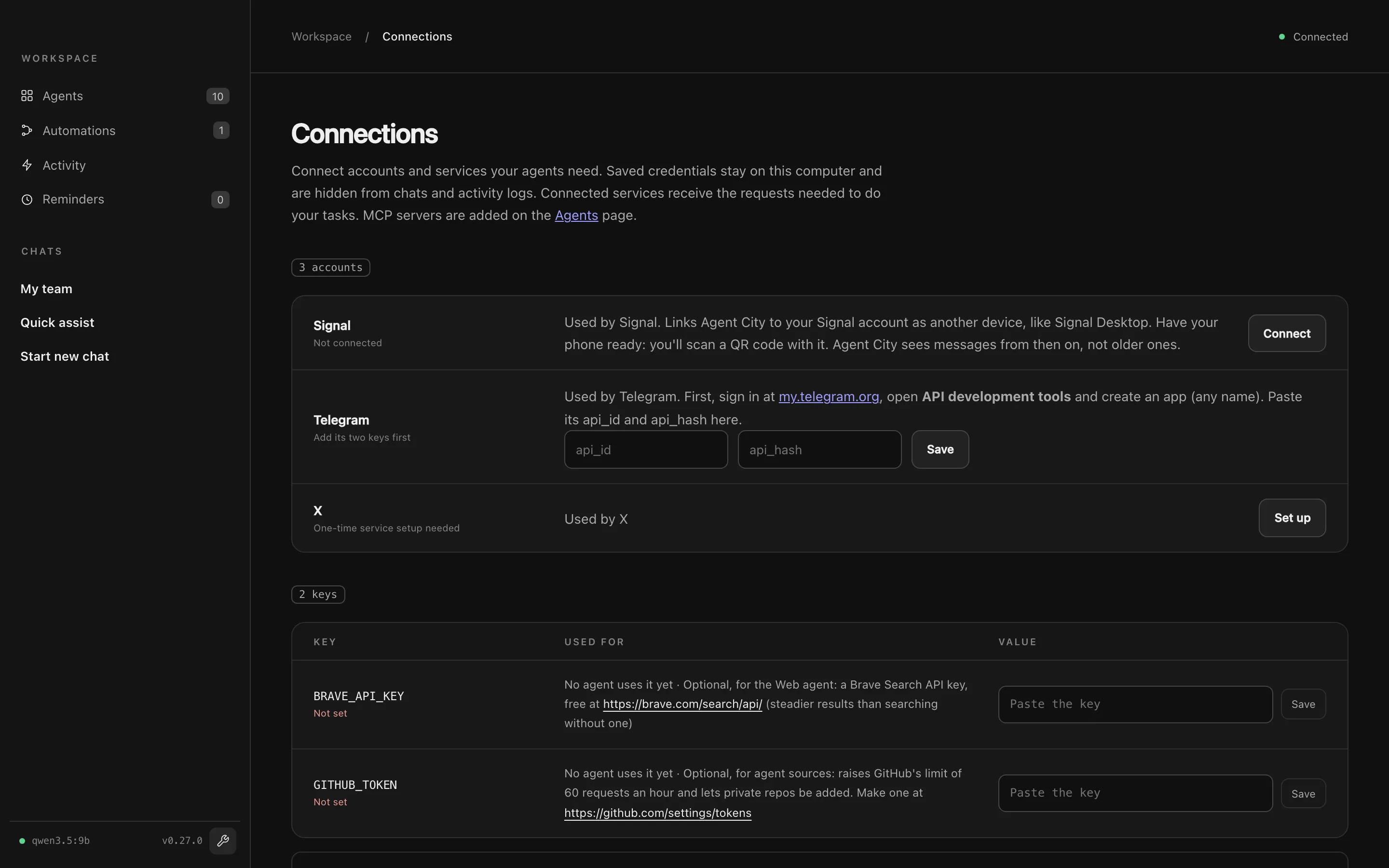
Accounts
Section titled “Accounts”Some services need you to sign in. Each account row says which agents use it and how to set it up. Built-in examples:
- Signal: press Connect and scan the QR code with Signal on your phone (Linked devices → Link new device). Agent City links as another device, like Signal Desktop, and sees messages from then on.
- Telegram: create an app at my.telegram.org (API development tools), paste its
api_idandapi_hash, then sign in with your phone number and the code Telegram sends. - X: press Set up and follow the steps to use your own X developer app.
Services like Google and GitHub use a normal sign-in: register an app once (the row’s Setup guide walks you through it), paste its client ID and secret, then press Connect. Disconnect forgets the sign-in.
API keys
Section titled “API keys”Some agents need a key from a service. The Keys table lists each one, which agents use it, and where to get it. Paste the key and press Save. It takes effect straight away, with no restart.
An agent missing a key shows Needs on its card, and its tools won’t run until the key is set. You can also add keys no agent asks for yet.
Useful optional keys:
| Key | What it does |
|---|---|
BRAVE_API_KEY |
A free Brave Search key. Steadier web searches for Scout, and web search for the System agent. |
GITHUB_TOKEN |
Raises GitHub’s limit of 60 requests an hour for agent sources, and lets you add private repositories. |
Each agent sees only its own keys
Section titled “Each agent sees only its own keys”An agent’s tools can only read the keys and sign-ins it declares. An agent installed from a source has to ask before it can use a key you saved earlier: its row says wants to use this, with an Allow button. Saving a key or pressing Connect in a row allows the agents listed there.
This stops agents reading each other’s keys by accident. It isn’t a guarantee against code written to get around it, so only install agents you trust.