
Voice
Agent City can listen and talk. Both can run entirely on your Mac.
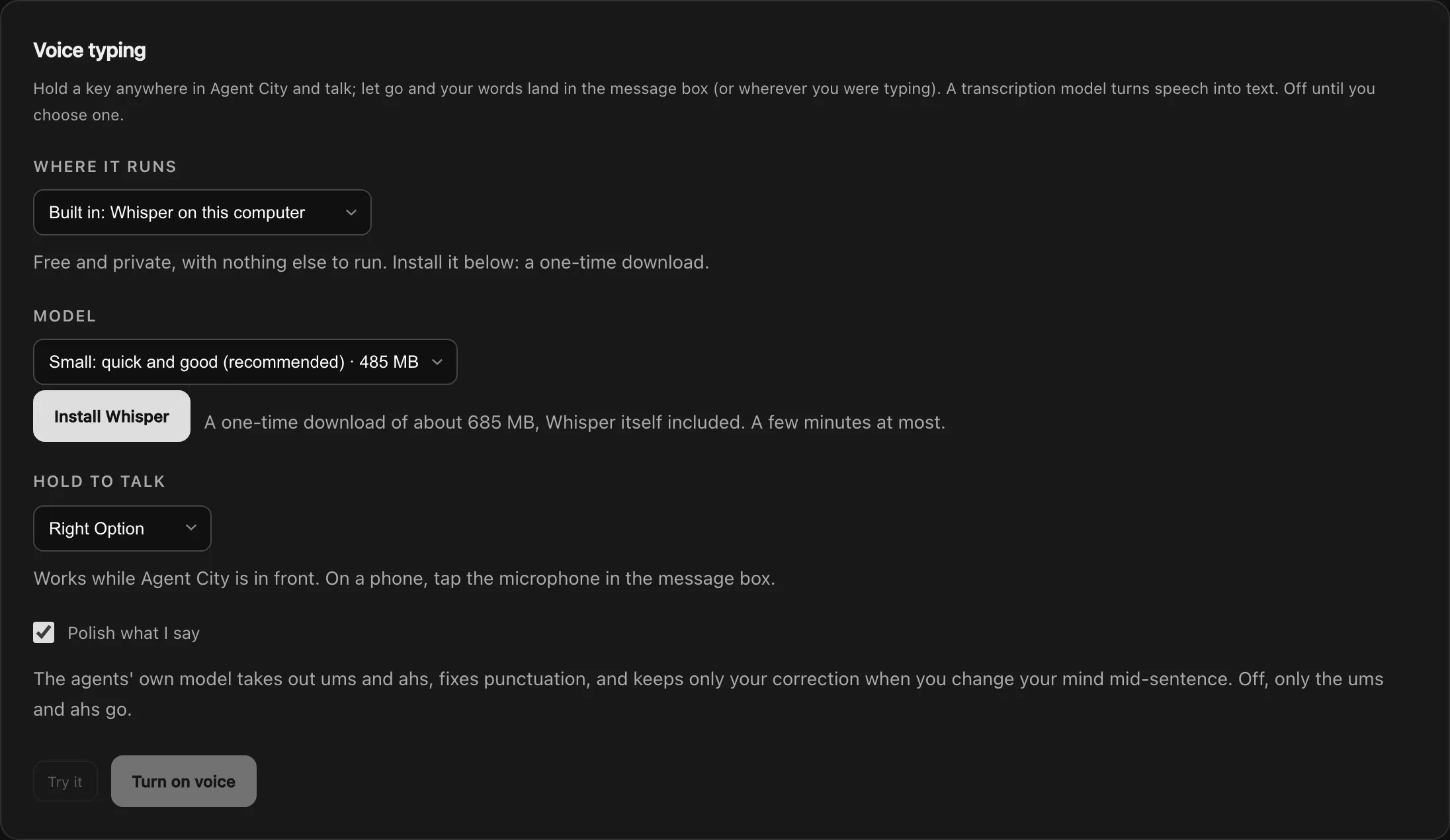
Voice typing
Section titled “Voice typing”Hold a key, talk, and let go: your words appear in the message box, tidied up (ums and ahs out, punctuation in).
- Open Settings → Models → Voice typing.
- Choose a transcription model:
- Built-in Whisper: runs on your Mac. Install it with one button (about 685 MB). Your voice never leaves your computer.
- A Whisper server on this computer, or OpenAI, Groq, or another compatible service with an API key.
- Hold the key shown there (right Option unless you change it) anywhere in Agent City, and talk.
The microphone button in the message box does the same with a tap.
Read aloud
Section titled “Read aloud”Replies can be read out loud by Kokoro, which runs on your Mac.
- Open Settings → Models → Read aloud and press the install button (about 500 MB).
- Choose an American or British voice and a speed.
- Press the speaker button under any reply to hear it.
Turn on Read new Activity aloud on this device to hear automation results, events, reminders and approvals as they arrive.

Free talk
Section titled “Free talk”Free talk, in a chat, is a spoken conversation. The microphone stays open, what you say is sent when you stop talking, and the reply is read back to you. It only listens while nothing is being read and the agent isn’t working, so it never hears its own reply.
While the agent works, it says something short like “On it” or “Let me check”, so the wait isn’t silent.
Voice typing also powers Meetings, which needs a transcription model chosen first.