
Reminders and timers
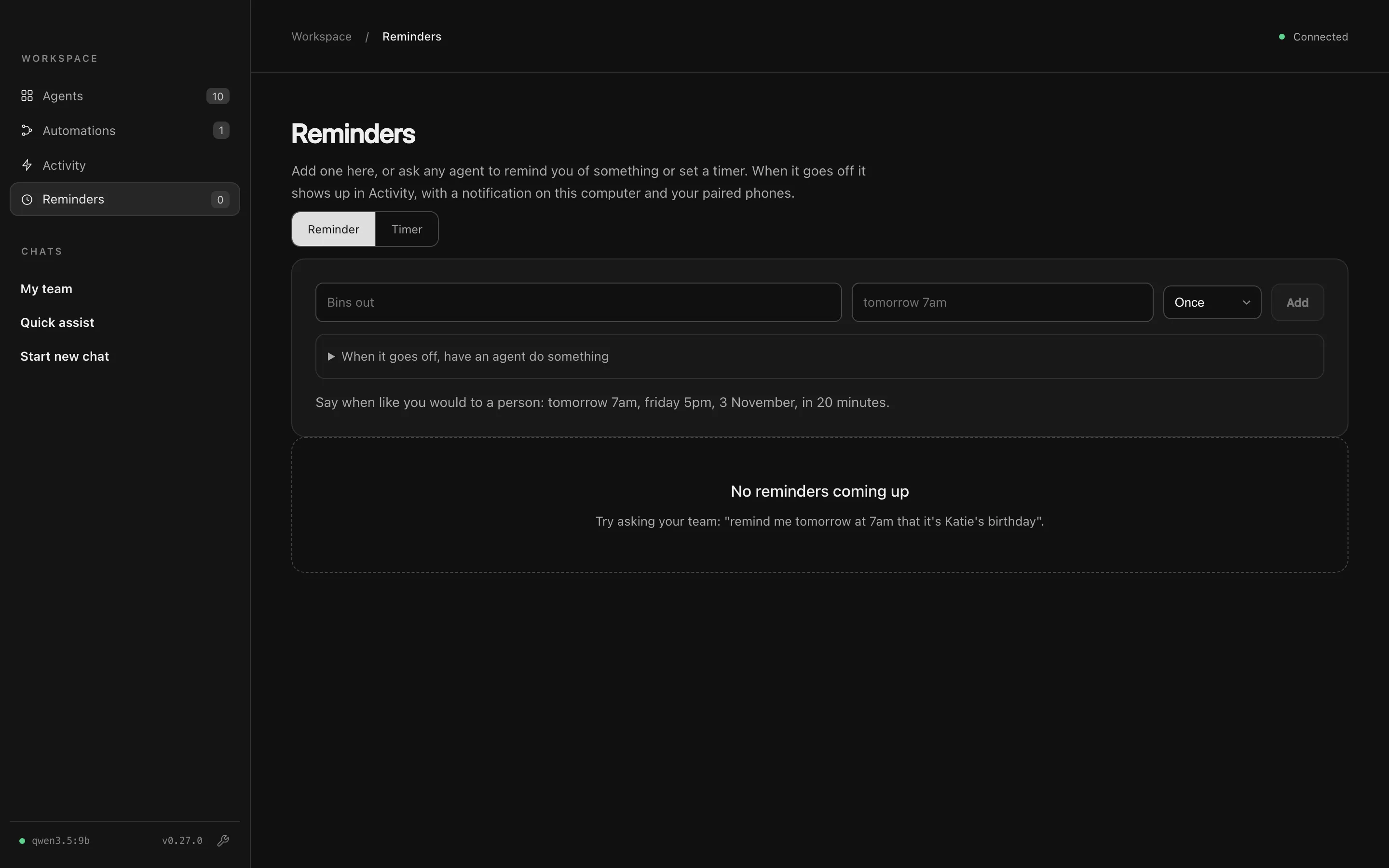
The Reminders page, in the Workspace section of the sidebar, lists your reminders and timers.
Ask for one
Section titled “Ask for one”Ask any agent you’re chatting with:
Remind me tomorrow at 7am that it’s Katie’s birthday.
Don’t let me forget to call Sam at 5.
Set a timer for 10 minutes.
Add one yourself
Section titled “Add one yourself”On the Reminders tab, type what to remind you of and when, in plain words: tomorrow 7am, friday 5pm, 3 November, in 20 minutes. Choose whether it repeats (daily, weekdays, weekly, monthly or yearly) and press Add.
The Timer tab starts a countdown, like 10 minutes or 1h 30m. Timers can be paused and given more time.
When it goes off
Section titled “When it goes off”A reminder:
- shows in Activity,
- sends a notification to this Mac and your paired phones, and
- tells the coordinator, so you can follow up in My team.
Open When it goes off, have an agent do something to give the reminder a job, like “check the weather for my run”, or to start an automation by name.
A reminder missed while your Mac was asleep goes off once, as soon as it can, and says when it was due. Reminders use your Mac’s local time.