Settings
Settings is in the Utilities menu: the spanner beside the version number at the bottom of the sidebar. That menu also has Shared memory, Connections and the Audit log.
Settings has five tabs.
General
Section titled “General”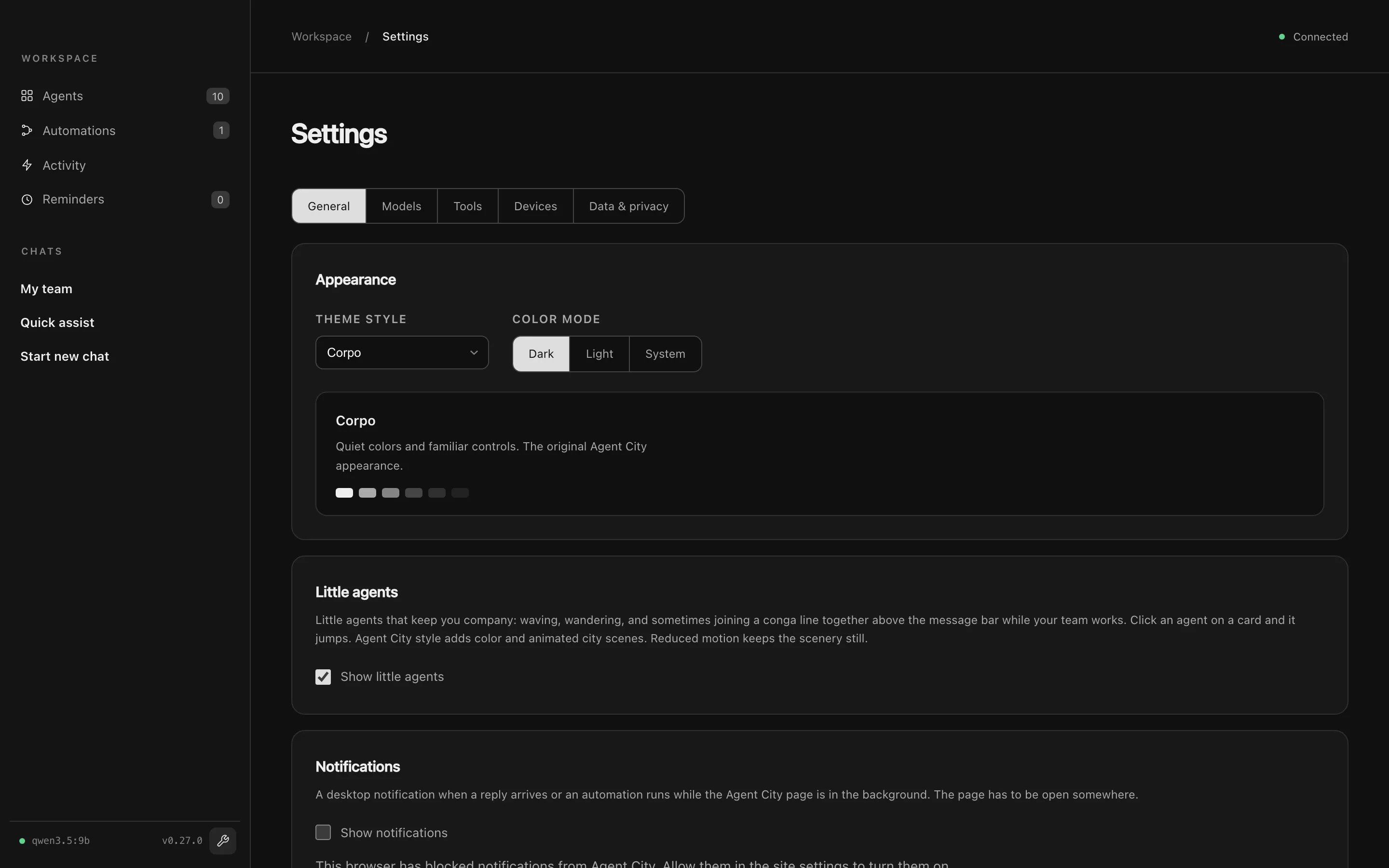
| Section | What it sets |
|---|---|
| Appearance | Theme style: Corpo (quiet greys, the default) or Agent City (the website’s blues, colourful agents and animated city scenes). Color mode: Dark, Light or System. |
| Little agents | Small voxel agents that keep you company: waving, wandering, and walking along the message bar while your team works. Switch them off here. Occasional surprises adds brief cameos. |
| Notifications | macOS notifications when a reply arrives or an automation runs while Agent City is in the background. |
Models
Section titled “Models”| Section | What it sets |
|---|---|
| Model | The default model every agent uses. See Choose a model. |
| More models | Extra models you can give to individual agents. |
| Thinking | The default thinking effort, and which agents override it. |
| Working at once | How many requests a cloud model handles at once (1 to 8). |
| Voice typing | The transcription model and the key to hold. See Voice. |
| Read aloud | Kokoro, its voice and speed. |
| Drafting automations | Whether automations are drafted by your agents’ model or by Claude Code. |
| Reflection time | On or off, and when. See Reflection time. |
| Setup check | Opens the Setup check. |
| Section | What it sets |
|---|---|
| System tools | What the System agent may do: files, documents, QR codes and the web. |
| Agent sources | GitHub repositories to install agents from. See Agent sources. |
Devices
Section titled “Devices”| Section | What it sets |
|---|---|
| Phones | Pairing and how phones connect. See Phones. |
| Incoming events | API keys for devices and scripts, and the log of recent events. See Ingest API. |
Data & privacy
Section titled “Data & privacy”| Section | What it sets |
|---|---|
| Where your data goes | A plain summary of where your model and services send requests. |
| History | How long chat messages and the audit log are kept. |
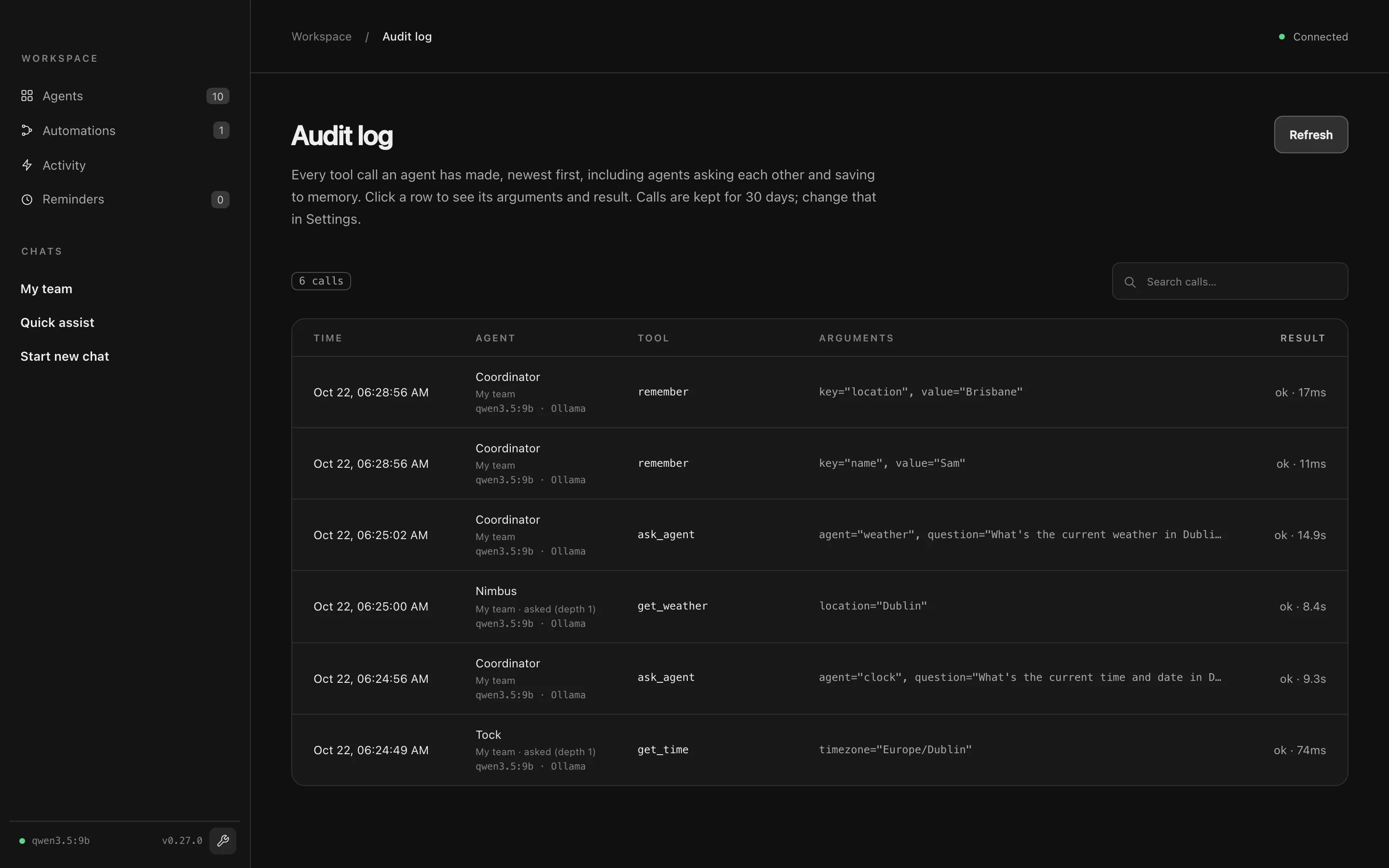
Audit log
Section titled “Audit log”The Audit log lists every tool call any agent made, newest first: when, which agent and model, the tool, its arguments, whether it worked, how long it took, and where it ran (My team, a chat, an automation). Click a row for the full details. Entries are kept for 30 days by default; change that under Data & privacy → History.